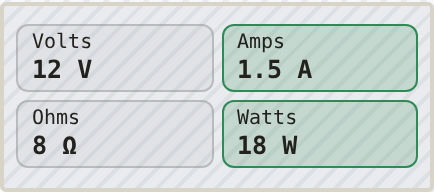
The Power (W) Calculator does two jobs. First, Ohm's law: fill in any two of volts, amps, ohms and watts, and it works out the other two. Then the Rating Check turns those numbers into a part you can buy: how many watts a resistor must handle, and what voltage a capacitor must be rated for, with a safety margin, rounded up to a standard size.
Ohm's law
With any two values, the other two follow:
- Volts = amps × ohms
- Amps = volts ÷ ohms
- Ohms = volts ÷ amps
- Watts = volts × amps = amps² × ohms = volts² ÷ ohms
Example: 12 V across 8 Ω draws 1.5 A and dissipates 18 W.
The Rating Check
Resistor wattage: the watts it dissipates × the safety margin (1.5×, 2× or 3×), rounded up to a standard rating: 1/8, 1/4, 1/2, 1, 2, 3, 5, 10, 15, 20, 25, 50 W and up. Example: 18 W with a 2× margin needs 36 W, so buy a 50 W part. That size is an aluminum-housed resistor that must be bolted to a heat sink.
Capacitor voltage: the peak voltage × the safety margin, rounded up to a standard rating: 6.3, 10, 16, 25, 35, 50, 63, 100, 160, 250, 400, 450, 630 or 1000 V. For AC, the peak is the RMS value × 1.414. Example: a 6.3 V AC heater circuit peaks at about 8.9 V; with a 2× margin, that needs a 25 V capacitor (the next standard size up from 17.8 V).
Why a margin
A resistor run at its full rating gets very hot, and a capacitor at its full voltage wears out sooner. A 2× margin is a common choice for parts that run all the time; 1.5× for parts with good cooling or short duty, and 3× for parts in tight, hot enclosures.
How to use it
- Type any two of volts, amps, ohms and watts, with their units.
- Read the other two.
- In the Rating Check, pick the margin and whether the voltage is AC or DC, and read the resistor wattage and capacitor voltage to buy.
Things worth knowing
- Check a resistor's voltage rating too. Small 1/4 W and 1/2 W resistors are often rated for only 250 to 350 V, which matters in tube amp circuits.
- Splitting the load: several equal resistors share the power, so each can be a smaller part. The Resistance (Ω) Calculator works out the combination.
- Bleeder resistors are a common use of this math. The Cap Drain & Bleeder Calculator sizes them for a tube amp's filter caps.